




In the spririt of helping those new to charging, I was on a road trip this week, took a ferry, got to my location and wanted to charge-up so I would be set for the duration of my stay. There was a charging station near my hotel, which happened to be a Tesla Magic Dock location. For those that don't know, the chargers have a CCS adapter "built-in" that works for non-Tesla vehicles that are able to charge using Tesla's infrastructure, which eliminates the need to use an adapter. There are lots of YT videos out there from when this was launched and when Tesla "opened" up part of its supercharger network, but this was my first time at a Magic Dock location.
Long story short, if you don't need the adapter (say you have a Tesla), you just choose your Supercharger in the Tesla app, then plug in. If you need the adapter, you choose your Supercharger in the app (the app knows you don't have a Tesla), the app tells you to press and hold the button on the charger itself for 2 seconds, THEN YOU PUSH UPWARDS, then you pull the charger out, and it comes out of the Supercharger holder with the adapter magically attached, and you plug right in.
Rates were $0.65/kWh (compared to $.059 /kWh at the Rivian RAN Supercharger I hit the day before)
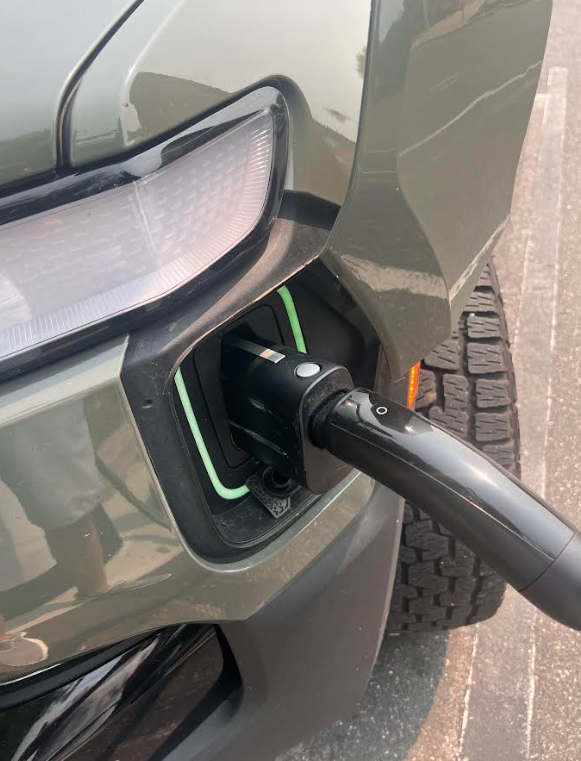
The charger with the adapter comes out of the holster looking like it would if you added your own adapter:
Long story short, if you don't need the adapter (say you have a Tesla), you just choose your Supercharger in the Tesla app, then plug in. If you need the adapter, you choose your Supercharger in the app (the app knows you don't have a Tesla), the app tells you to press and hold the button on the charger itself for 2 seconds, THEN YOU PUSH UPWARDS, then you pull the charger out, and it comes out of the Supercharger holder with the adapter magically attached, and you plug right in.
Rates were $0.65/kWh (compared to $.059 /kWh at the Rivian RAN Supercharger I hit the day before)
The charger with the adapter comes out of the holster looking like it would if you added your own adapter:


 The magic docks are nice to have though JIC, especially for new to EV owners.




 .
.


